Squarespace vs. WordPress: What is Best for Your Business in 2026?

Squarespace website creation platform in 2026
For most small service businesses in 2026, Squarespace is the better choice — and the reason has nothing to do with which platform is more powerful. WordPress is more powerful. That is precisely the problem. WordPress hands you a system that assumes someone is looking after it: updating plugins, watching for vulnerabilities, keeping backups, fixing what breaks after an update. If that someone is you, and you actually run a salon or a clinic or a studio, the maintenance quietly becomes a second job you never agreed to.
Squarespace takes that job away. You give up some flexibility for it. For a business with a handful of pages, a booking button and a Google listing to protect, that trade is almost always worth making.
But not always. There is a real case for staying on WordPress, and I have told a paying client exactly that. Here is the honest version of both sides.
The short answer, by situation
Service business with 4–15 pages — salon, therapist, trainer, consultant, café: Squarespace. You will not miss what you give up.
Shop selling physical products, straightforward catalogue: Squarespace. Fewer moving parts, and the checkout is maintained for you.
Site with custom logic — customer accounts, membership portals, bespoke booking flows built by a developer: stay on WordPress.
Publication with thousands of articles and multiple editors: WordPress.
You already have an in-house developer: WordPress. The maintenance argument disappears when maintenance is somebody's job.
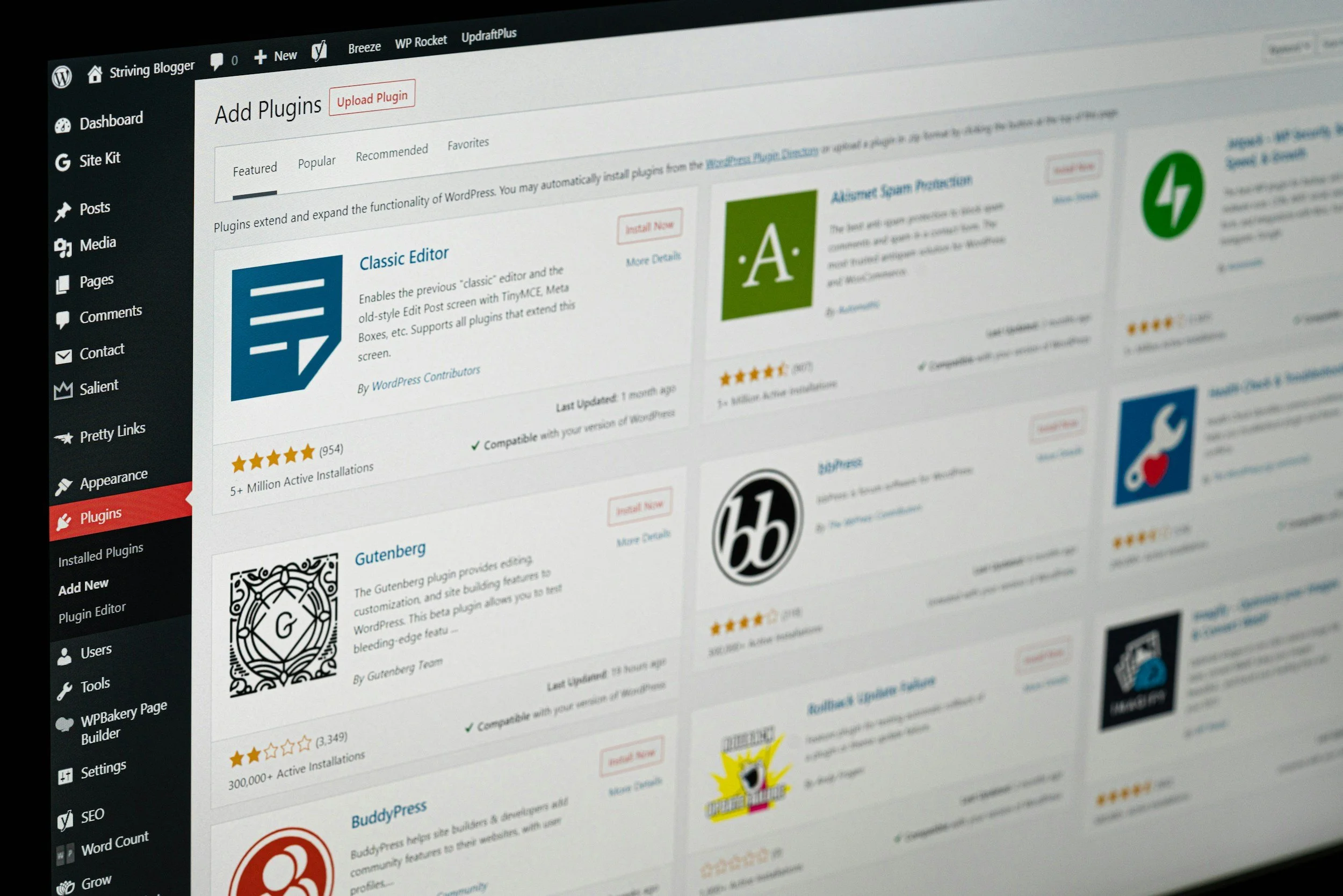
Wordpress website creation platform in 2026
Is WordPress really free?
The software is free. Running it is not.
WordPress is downloadable at no cost, and that single fact drives most of the advice you will read. But nothing underneath it is included. You buy hosting. You buy or configure a theme. The features that come as standard on a hosted platform — forms, backups, caching, SEO controls, security hardening — arrive as plugins, and the good ones charge annually.
I look at WordPress sites most weeks, because scanning them is part of how I find clients. The bill I typically find, when I add it up honestly, sits somewhere between a modest hosting-only setup and something close to a thousand a year once premium plugins and a maintenance retainer are counted. Treat that as what I observe, not as a statistic — the range is genuinely wide, because it depends entirely on how many paid plugins the previous developer reached for.
The cost that catches people out is not any of those line items. It is the hour. Something breaks after an update, the person who built it has moved on, and now you are searching a support forum on a Sunday.
What Squarespace costs
When I checked Squarespace's own pricing page on 14 August 2026, the annual-billing plans read Basic at €9 a month, Core at €14, and Advanced at €21. Prices display in your local currency and they do change, so check the live page rather than trusting this paragraph in a year.
Two things worth knowing before you pick the cheapest tier. Basic charges a 2% transaction fee on online-store sales and 7% on digital content and memberships, so if you sell anything at volume, Core pays for itself. And custom CSS and JavaScript start at Core — on Basic you cannot inject code, which matters more than people expect once a site needs a tracking script or a small design tweak.
That is the platform. What a built site costs is a separate question, and I have written the full breakdown of what a custom website costs elsewhere. For reference, my own builds run €500 to €850 in Lithuania and £800 to £1,400 in the UK, paid in three stages, with the first three months of care included.
The security question, with the actual numbers
This is where the WordPress conversation usually turns vague, so here is the data.
Patchstack's State of WordPress Security in 2026 recorded 11,334 new vulnerabilities across the WordPress ecosystem during 2025 — a 42% increase on the year before. 91% of them were in plugins. 9% were in themes. WordPress core itself had six, all low priority.
Read that again, because it reframes the argument. WordPress is not badly built. The plugins bolted onto it are the attack surface, and the average small-business site is carrying fifteen to thirty of them.
Two more findings from the same report make the "just keep it updated" advice hard to defend. 46% of vulnerabilities had no patch available when they were publicly disclosed — so there was nothing to update to. And the weighted median time from disclosure to first observed exploitation was five hours. Weekly updates are not a defence against a five-hour window.
Patchstack also pentested hosting providers and found their defences blocked 26% of vulnerability attacks. Managed hosting helps. It is not the shield it is sold as.
Squarespace's answer is structural rather than clever: there are no third-party plugins to be vulnerable. You inherit the platform's security posture instead of assembling your own. Every domain pointing correctly at a Squarespace site gets a free SSL certificate automatically, with nothing to renew or configure.
None of this means a WordPress site will be hacked. Plenty run for years untouched. It means the risk is real, it is concentrated in the plugins, and somebody has to own it.
Does Squarespace really have bad SEO?
No. This one is a genuine myth, and it is old.
Squarespace creates and updates your sitemap automatically, generates clean markup, and gives you control over titles, descriptions and alt text without a plugin. I have written a practical Squarespace SEO guide that walks through the whole checklist if you want the detail.
What is true is that Squarespace does less for you than an aggressive SEO plugin appears to. There is no dashboard scoring your paragraph with a traffic light. Some people read the absence of that dashboard as an absence of capability, which is where the myth comes from.
The uncomfortable part, for both platforms: Google ranks pages, not platforms. I have audited WordPress sites running the best SEO plugin available and ranking for nothing, because the pages were thin and the business had never written anything a searcher wanted. The plugin cannot fix that. Neither can Squarespace.
Which one is faster?
Squarespace tends to win here for small sites, and it wins by default rather than by being faster in principle.
A well-built WordPress site on good hosting with a lean theme will beat a heavy Squarespace page. That is not the site most people have. The typical small-business WordPress site is running a page builder — Elementor alone is on 31.5% of all WordPress sites — plus a caching plugin bolted on to compensate for the weight the page builder added. Squarespace ships one rendering path, tuned by the people who built it, with images and delivery handled for you.
You can make either platform slow. It just takes more effort on Squarespace.
Which one can you actually run yourself?
This is the factor that decides it for most of my clients, and it rarely appears in comparison articles.
With WordPress, editing text is safe until it isn't. Change a heading in a page-builder layout and the spacing can shift on mobile in a way you will not see from your desktop. So people stop touching it. The site freezes at whatever it looked like on launch day, prices go out of date, and the blog stops.
Squarespace's editor is genuinely usable by the person who owns the business. That is not a small feature — it is the difference between a website that stays current and one that quietly ages. When I hand a site over, the expectation is that the owner updates their own prices and photos from their phone. Most of them do.
What happens when something breaks
Squarespace support is email, 24 hours a day, seven days a week, plus live chat Monday to Friday, which is closed at weekends. I am correcting an earlier version of this post that said "24/7 support" without that distinction — the email channel is round the clock, chat is not.
With WordPress there is no support desk. There is a forum, your host (who will tell you it is a plugin problem), the plugin developer (who will tell you it is a host problem), and whichever freelancer answers. When a plugin conflict takes a booking page down on a Friday, that difference stops being philosophical.
What you give up by choosing Squarespace
I would rather you hear this from me than discover it later.
No plugin ecosystem. If your business depends on a niche tool with a WordPress plugin and no Squarespace equivalent, that is a genuine blocker.
Custom code needs the Core plan or above, and there are limits to how deep you can go.
Complex membership and account systems are not what the platform is for.
Payment processors are a closed list. In Lithuania that means Stripe, and there is no way around it — no plugin, no workaround, no code injection. If your business requires a local bank-link processor, Squarespace is the wrong platform and I will tell you so on the first call.
Multi-thousand-page publishing with complex taxonomies is WordPress territory.
When I tell people to stay on WordPress
A Vilnius beauty studio came to me through cold outreach. Five-year-old WordPress site behind Cloudflare, a blog with real search traffic, and — the part that mattered — a customer account system their in-house IT team had built: registration, logged-in accounts, a custom checkout callback. Real features, actually being used by real customers.
I did not pitch a migration. Rebuilding that account system on Squarespace was not possible in any form they would have accepted, and pretending otherwise would have produced a project that failed in month three. We talked about a visual redesign of what they already had instead.
That is the honest boundary. When a site has custom application logic that people depend on, "just move it to Squarespace" is bad advice, and anyone giving it has not looked at the site.
What migrating actually involves
If you do move, the work is less about design than most people assume.
Content comes across by hand or by export, and on a small site that is a day or two, not a week. The parts that need care are the ones nobody thinks about: matching every old URL to a new one, keeping your page titles and descriptions rather than letting the new platform invent them, rebuilding forms and booking flows, and repointing your domain and DNS without dropping email.
Budget four to eight weeks for a small service site, most of it waiting on content and photos rather than build time. That matches what I quote — and the portfolio shows what comes out the other end, including a physiotherapy practice built for bookings and local search.
Will you lose your Google rankings if you move?
Only if the redirects are done badly.
Rankings attach to URLs. Move a page from one address to a new one without telling Google, the old address returns a 404, and whatever authority it had goes with it. The fix is a complete 301 redirect map — every old URL pointed at its new equivalent — built before launch, not after.
Expect a wobble anyway. Google needs to recrawl and reassess, and for two to six weeks positions move around. Sites that keep their content, keep their URL structure sensible and redirect properly come back where they were, and usually a little better, because the new pages load faster and are structured more clearly. Sites that "start fresh" with new URLs and no redirects lose years of work in a weekend.
If you want a read on where a site stands before you decide anything, the free website check runs the technical basics in about a minute.
Are you locked in?
Partly, and it is worth being clear rather than reassuring.
Your domain is yours on both platforms. Your written content and images are yours and can be exported. What does not travel is the build: Squarespace layouts do not transfer to WordPress, and WordPress themes and plugin configurations do not transfer to Squarespace. Moving in either direction means rebuilding the presentation layer.
That is true of every hosted platform, and it is a fair thing to weigh. It is not a reason to choose a system you cannot maintain.
So which should you choose?
Choose WordPress if you have custom application logic, a developer on hand or on retainer, thousands of articles, or a hard dependency on a specific plugin or payment processor.
Choose Squarespace if you run a service business, you want the site to be current in two years rather than frozen, and you would rather spend your attention on customers than on plugin updates.
The question I would actually ask is not which platform is better. It is: who is maintaining this in eighteen months? If the honest answer is "nobody, really" — and for most small businesses it is — that answers the platform question on its own.
I build on Squarespace only, as a Circle Gold partner, which means I have a bias and you should read this knowing that. It is also why I will tell you when the answer is to stay where you are. You can see how I work, what a full build includes, or if you run a salon, the hair and beauty specifics and what a salon website costs in the UK.
Frequently asked questions
Is Squarespace better than WordPress in 2026?
For a small service business, usually yes — because the maintenance burden is removed and the site stays editable by its owner. For sites with custom application logic, a large editorial operation, or an in-house developer, WordPress remains the stronger choice. Neither is better in the abstract.
Is WordPress cheaper than Squarespace?
Rarely, once everything is counted. The software is free, but hosting, premium plugins and someone's time to maintain it typically add up to more than a Squarespace subscription — and the maintenance cost is the one people forget to include.
Is WordPress secure?
WordPress core is. The ecosystem around it is the risk: 91% of the 11,334 vulnerabilities recorded in 2025 were in plugins, according to Patchstack's 2026 security report, and 46% had no patch available when they were disclosed. Keeping plugins updated helps, but it is not sufficient on its own.
Will I lose SEO if I migrate from WordPress to Squarespace?
Not if you build a complete 301 redirect map from every old URL to its new one, and carry your titles and descriptions across. Expect two to six weeks of movement while Google recrawls, then a return to previous positions. Migrations that skip redirects do lose rankings, permanently.
Can I move my content off Squarespace later?
Your domain, text and images are yours and can be exported. The layouts cannot be transferred — you would rebuild the design on the new platform. The same applies moving in the other direction.
How long does a migration take?
For a small service site, four to eight weeks in my experience, with most of that spent gathering content and photos rather than building.
Do I need the Core plan, or is Basic enough?
Basic works for a straightforward brochure site. You need Core or above for custom CSS and JavaScript, unlimited contributors, and to avoid the 2% online-store transaction fee that Basic charges.
Ready to work out which platform fits your business?Book a free consultation — and if the honest answer is that you should stay where you are, I will tell you that instead.
Gediminas Vengrauskas is the founder of UOGAweb and a Squarespace Circle Gold partner, building exclusively on Squarespace since 2024. Figures verified against primary sources on 14 August 2026 — third-party pricing and terms change, so check the current pages before deciding.