The Salon Website Checklist: 9 Things Every Hair & Beauty Site Needs in 2026
Here's the salon website checklist I actually use: nine things, checked in about five minutes, that tell you whether a salon website is working or just sitting there. A booking button on every page. Real photos — never stock, never AI. Visible prices. A headline that says who you're for. Fast loading on a phone. A Google Business Profile that matches the site. Reviews or social proof on the page. Gift vouchers for sale. And hours, location and contact that don't need a search. Miss two or three and you're not “unprofessional” — you're quietly losing bookings to the salon down the road whose site does all nine.
I build these for a living, not a generic content-agency list. It's the checklist I run on every hair and beauty build, and the one I'd hand an owner auditing their own site before spending a penny on a redesign. Nine items, a plain reason for each.
The checklist, all nine at a glance
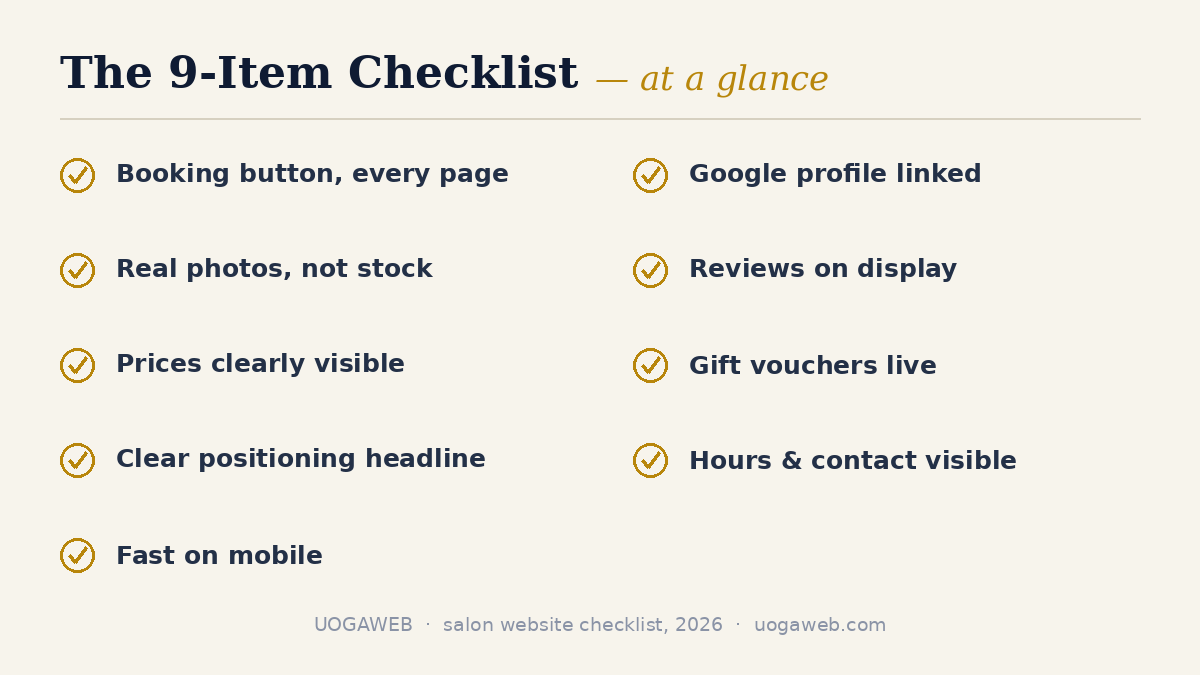
Screenshot it — here's the whole list before I walk through why each one earns its place:
1. A booking button on every page
2. Real photos — never stock, never AI
3. Prices visible somewhere on the site
4. A headline that says who you're for
5. Fast loading on a phone
6. A Google Business Profile that matches the site
7. Reviews or social proof on the page
8. Gift vouchers for sale
9. Hours, location and contact that don't need a search
None of these are expensive, and most don't need a rebuild — just an afternoon of attention on a site you already have. For the fuller picture of what a salon website should do, see the salon websites hub.
1. Is there a booking button on every page?
The mistake I see most often, even on nice-looking sites, is a Book button that only lives on the homepage — or sits buried under a “Contact” page nobody clicks. It needs to be in the same spot on every page: top corner, one tap, nothing to scroll for. Whether that button opens Acuity, Squarespace's own booking tool, or hands off to a marketplace widget like Fresha or Booksy matters less than who owns the client afterward. A booking through your own button is yours outright — a different relationship from one who arrives through someone else's app.
2. Are the photos real — not stock, not AI?
This one's non-negotiable, and it's the fastest way to spot a real salon site next to a template. Stock photography reads as generic within a second, and an AI-generated face reads as fake within half a second — a bad first impression in an industry built on trust in someone's hands. What works instead is unglamorous: your actual space, your actual team, your actual clients' hair, shot on a decent phone in good light. On every build I've done, the salon's own photos — even ones the owner thought “weren't good enough” — outwork anything stock or generated.
3. Can a visitor find your prices without asking?
Hiding your prices doesn't make you look premium — it makes a first-time client assume the worst and book somewhere that told them. You don't have to publish a full price list if that's not right for your salon; “from £X” tiers are honest enough as long as the range is real. What costs you bookings is a services page with no numbers at all, forcing a stranger to message and ask — friction most won't push through before a first visit. Findable pricing is one of the strongest booking signals a site can send.
4. Does your headline say who you're for?
Read your homepage headline out loud. If it says something like “Welcome to [Salon Name],” it's telling a stranger nothing they can use. The headline's job is to answer “is this salon for me?” in about a second — organic colour, precision barbering, bridal hair, blow-dries only, whatever's actually true of you. One clear claim beats a warm-but-vague welcome, because it does the filtering a visitor would otherwise do by reading five pages. Salons I've built for who commit to a single positioning line get fewer wrong-fit enquiries, and more people who already know what they're booking.
5. Does the site load fast on a phone?
Most of the traffic I see across my own builds' analytics is mobile, and a slow homepage quietly cancels bookings before anyone reads a word — someone waiting three seconds for a hero image just leaves and calls the next salon on the list. The usual culprits are heavy, uncompressed photos and an autoplay video hero that crawls on mobile data outside the salon. Compress every image, drop the video background, and check the site on your own phone on mobile data — not the salon wifi — once a season. This isn't a technical nice-to-have; it's a booking-conversion problem with a direct line to your diary.
6. Is your Google Business Profile linked and matching?
A website and a Google Business Profile that disagree — different hours, an old address, a phone number nobody answers — cost you more trust than either one just looking plain. Claim your profile if you haven't, keep the hours and services matching your site, and link straight from the profile to your booking page. For a lot of new clients, the profile is where the decision happens, before they've even clicked through to your site. And a mismatch there undoes work your website is doing everywhere else — a fifteen-minute fix most salons never get round to.
7. Is there proof — reviews or social proof — on the page?
A five-star Google rating means little to a visitor if it only lives on Google — pull a handful of real reviews onto the site itself, or at minimum link straight to where they can be read. The same goes for anything else that builds trust before someone books: press mentions, the brands you're trained in or stock, before-and-afters with permission. None of this needs to be flashy. Three or four genuine reviews next to your booking button do more work than a slider full of generic testimonials, because someone's about to hand a stranger scissors or their skin.
8. Are gift vouchers for sale?
Gift vouchers are the easiest revenue a salon website generates, and the most commonly skipped item on this list. They sell at 11pm when you're not working, they bring in a client who wasn't on your books yesterday, and there's nothing to “stock.” Vandens lelija studija, one of my beauty-studio builds, runs gift sets and vouchers quietly alongside its regular booking flow — no separate campaign, just a page that exists. If your site doesn't sell vouchers today, it's the fastest addition on this list to put live.
9. Can someone find your hours, location and contact in ten seconds?
This sounds too basic to belong on a checklist, and yet it's the item I find missing most often on a new client's old site. Hours, address, parking or the nearest station, and a phone number that's actually answered — all in the footer, so they're on every page without hunting down a Contact link. Someone checking whether you're open right now, or whether you're walkable from where they are, will leave rather than dig for the answer. It's the least interesting item here, and one of the highest-return five minutes you'll spend this week.
What this looks like on a real build
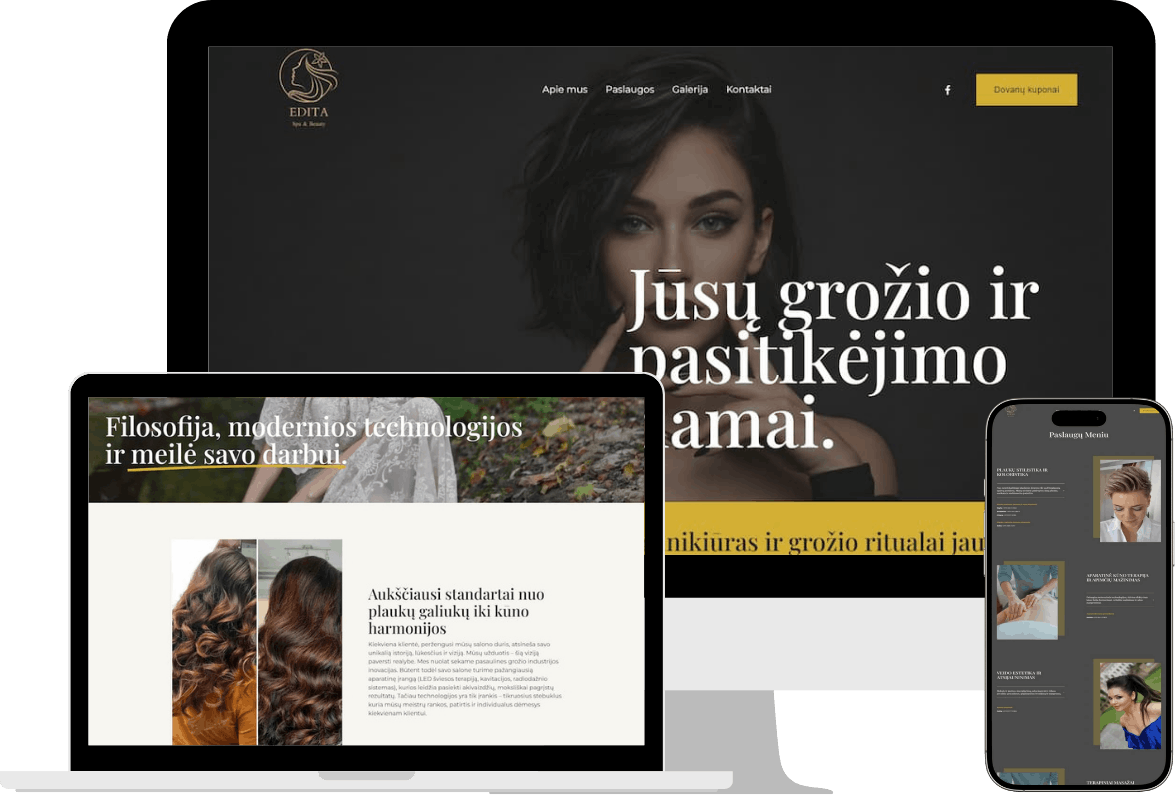
Here's one that checks every box: Edita Beauty, a salon I built in Kaunas. A Book button on every page, her own photos throughout, a full price list, a positioning line that matches how her clients actually talk about her, gift vouchers live, and a Google Business Profile matching down to the opening hours. Nothing about it is flashy — six pages doing nine jobs, the whole point of this list. More of that approach is across the full portfolio.
If your site is missing a few of these
None of the nine above need a full rebuild — most are a content fix, a settings toggle, or an afternoon with your phone camera. Booking and mobile speed are the two that sometimes point at something bigger: a platform that was never built for a salon at all. If you're weighing a patch job against a rebuild, full UK pricing is here — my own salon builds run £800 to £1,400 depending on scope, plus an optional £75/month care plan with the first three months included. Real examples are here if you want to see a checklist-passing site first, or book a free consultation and I'll tell you honestly which of these nine yours is missing.
FAQ: salon website checklist
What pages does a salon website actually need?
Fewer than most owners think — five is usually enough. A homepage that positions you and shows the Book button, a services-and-prices page, an about or team page with real faces, a gallery, and a contact page repeating the booking button and your hours. Everything on this checklist fits onto that structure without adding extra pages. More pages isn't more professional; it's more places for a first-time visitor to get lost before they book.
Can I fix these myself, or do I need a professional?
Most of this list you can fix yourself, this week, on whatever you're already running — better photos, visible prices, a sharper headline, a linked Google profile. Where a specialist earns their fee is the two structural items: a booking flow that doesn't lose people, and genuine site speed, which sometimes needs the platform changed, not just the content. Try the DIY fixes first — if the site still isn't converting, that's the point a rebuild starts paying for itself.
How much does it cost to fix a site that's missing these items?
Depends how much is missing. The content fixes — photos, prices, headline, vouchers, your Google profile — cost you time, not money. A booking or speed problem that traces to the platform is a bigger job: my own salon builds run £800 for a showcase site, £1,000 with booking, and £1,400 with a shop — full UK pricing here. An optional care plan at £75/month — first three months included — covers keeping the list current after that.
What's the single biggest mistake you see on salon websites?
Treating the website like a brochure instead of a booking tool. A beautiful site with a buried Book button, no prices, and stock photography looks fine in a portfolio review and loses real bookings in real life. Every item on this checklist exists because it changes whether a visitor books, not because it makes the site prettier — prettier is a side effect, not the goal. If I had to fix one thing first, it's almost always the booking button and the photos, in that order.
How do I know if my current site actually passes this checklist?
Open it on your phone, not your laptop — that's the honest test most owners skip. Go through the nine items above one at a time and be strict with yourself; “sort of” doesn't count for a booking button or a price list. Most salons pass five or six on a first honest look, and the two or three still missing are usually a weekend's work, not a redesign.
Gediminas Vengrauskas is the founder of UOGAweb, a Squarespace Circle Gold studio building websites for hair & beauty salons across the UK and Lithuania.