Squarespace vs Wix for Hair Salons (2026): An Honest Comparison
For most hair salons, Squarespace is the better choice over Wix — its templates look more polished out of the box, they're far harder to break on a phone, and its built-in Acuity Scheduling is one of the strongest appointment-booking tools any website builder offers. Wix wins on two real things: it's cheaper to start, and it lets you drag any element anywhere. But for a salon that mainly needs to look professional and take bookings, that freedom is usually a liability, not a feature.
I should say up front that I’m not a neutral referee: I build salon sites on Squarespace as a Circle Gold partner, and I regularly migrate salons off Wix. So I’ll give Wix proper credit where it earns it, then tell you where each one actually fits. And if you want to see what finished salon sites actually look like before you pick a platform, I’ve pulled together 14 beautiful salon website examples worth learning from.
The quick verdict for a salon
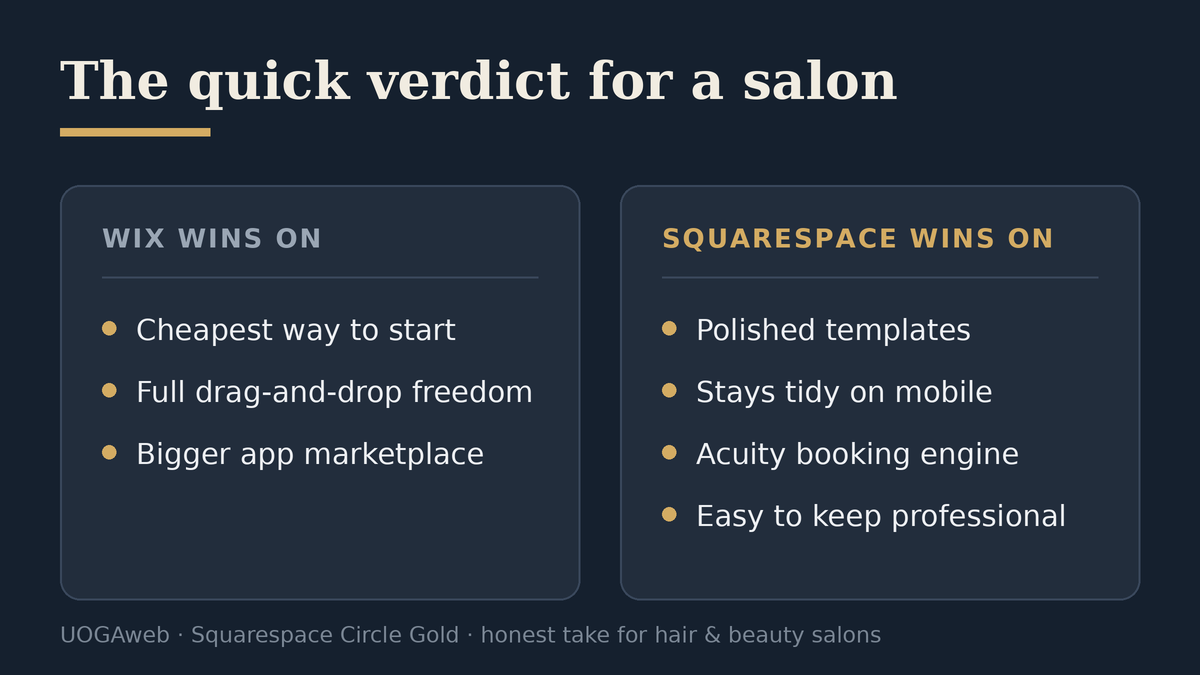
Here's the quick scorecard — what matters for a salon, and who tends to win:
Looks polished without design skill — Squarespace (templates are hard to make look cheap; Wix takes real effort).
Stays tidy on mobile — Squarespace (layout snaps to a grid; Wix is easy to break).
Appointment booking — Squarespace (Acuity is best-in-class, same company; Wix Bookings is fine for simple needs).
Pixel-perfect placement — Wix (full drag-and-drop; Squarespace is more constrained).
Cheapest way to start — Wix (free plan + lower entry price; Squarespace has no free plan).
App / add-on marketplace — Wix (larger; Squarespace's is smaller but enough for salons).
Easy to keep looking professional long-term — Squarespace (Wix is harder).
Six of those rows matter enormously to a salon. The two Wix wins — pixel freedom and lowest entry price — matter most to someone building it themselves on a tight budget. That's the real fault line, and it's worth understanding before you commit.
Where Wix genuinely wins
I'd be lying if I said Wix was the wrong tool for everyone.
It's cheaper to get started. Wix has a free plan (with Wix branding and ads) and its paid plans start lower than Squarespace's. As of June 2026, Wix's entry paid plans begin around £9/month on annual billing, and Wix runs frequent first-year promotions. Squarespace has no free tier and starts a little higher. If your whole budget is "as close to zero as possible," Wix is the cheaper door to walk through. (Always check current pricing — both platforms revise their plans often.)
It gives you total layout freedom. Wix's editor lets you drop any element at any pixel. For a confident designer, that's power. Squarespace constrains you to a structured grid.
Its app market is bigger. More third-party add-ons, more niche tools.
If you're a hands-on owner who enjoys fiddling, has time, and wants to DIY on the cheap, Wix is a reasonable choice. I won't pretend otherwise.
Where Squarespace wins for salons
Here's the catch with that Wix freedom: the same drag-anywhere editor is exactly how salon sites end up looking great on the owner's laptop and broken on a customer's phone. I've seen it many times — elements overlapping, text running off the screen, a "Book Now" button hiding below the fold on mobile. Wix has improved its mobile handling, but it still puts the responsibility on you to get it right on every screen.
Squarespace takes that responsibility away. Its layout snaps to a grid, so a salon site stays tidy on a phone almost by default — and most of the people finding a salon are on a phone. For a non-technical owner, "hard to make look amateur" is worth more than "freedom to do anything."
The second win is design polish. Squarespace's templates are simply more refined as a starting point, which matters in an industry that sells on aesthetics. A client choosing a hair salon is judging your taste from the homepage. You want the site to look as considered as the salon does.
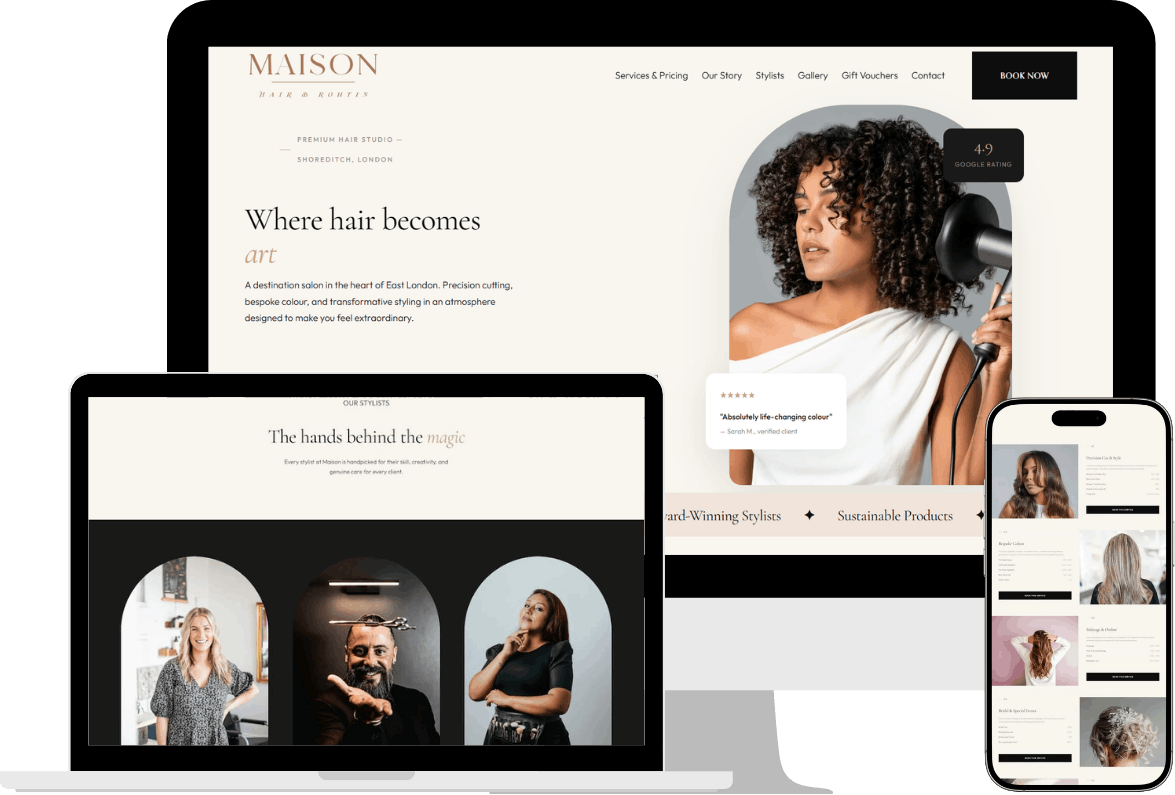
And the third — the big one for a salon — is booking.
Booking: the feature that decides it for most salons
A salon website lives or dies on whether clients can book in two taps. This is where the platforms separate.
Squarespace owns Acuity Scheduling, and Acuity is genuinely one of the best appointment systems on the market — built for service businesses that need real control: multiple stylists, different service durations, deposits, intake forms, and automated email and SMS reminders that cut no-shows. Because Acuity and Squarespace are the same company, it slots into a Squarespace site cleanly. (You may still see it called "Squarespace Scheduling" in older guides — it's the same product, now unified under the Acuity name.)
Wix has Wix Bookings built in, and it's perfectly fine for simple setups — one chair, a handful of services, basic reminders. Where it gets thinner is the more complex, multi-stylist, deposit-taking salon. You can embed Acuity into a Wix site, but at that point you're bolting Squarespace's booking engine onto a Wix shell — which tells you something about which platform was built with appointments in mind.
For a one-room operation, both are fine. For a growing salon with several stylists and a no-show problem, Squarespace's Acuity is the stronger engine, and it's the most common reason I recommend it.
Which one gets you found on Google?
A salon lives on local search — "[your town] hair salon," "balayage near me" — so this matters. The honest answer: in 2026 the platform is rarely what decides it, and anyone who tells you "Wix is bad for SEO" is repeating something that stopped being true years ago. Both can rank.
Out of the box, Squarespace gives you clean page titles, automatic SSL, fast mobile-responsive pages and a tidy URL structure — the technical basics Google looks for, with no add-ons. Wix has closed most of the old gap, and its SEO setup wizard is genuinely friendly for a beginner. Where I'd give Squarespace a slight but real edge is page speed and clean markup on the mobile version — the version Google actually ranks — and not needing to bolt on an app to get the fundamentals right.
But I'll be straight with you: what decides whether a salon ranks locally isn't the builder — it's your Google Business Profile, your real reviews, and writing your town and services naturally into the page. Most owners skip that groundwork and blame the platform. Do it well and either builder will compete; do it badly and neither will save you.
What about transaction fees and selling products?
If you sell gift cards or retail products, both platforms now waive platform transaction fees on the plans a salon would realistically use — you still pay the normal card-processing rate. Wix charges no platform fee on any paid plan; Squarespace only adds an extra platform fee on its cheapest entry plan, and waives it from the mid "Core" tier upward (verified June 2026). For an appointment-led salon that isn't running a serious product shop, this rarely tips the decision either way.
So what does it actually cost?
The platform subscription is the small number. On either, the meaningful question is whether you build it yourself or have it built.
If you DIY, your real cost is the 20–40 hours you'll spend learning the editor and fighting mobile layouts — time away from clients. If you hire a specialist, you're paying for the design, the booking setup, and the local SEO that makes you show up in your town. I broke the full cost picture down separately — build price, the ongoing running costs nobody quotes you, and how it compares to renting Fresha or Treatwell — in my guide to what a hair salon website costs in the UK.
For reference, here's what I charge to build a salon site properly on Squarespace — custom-designed, mobile-first, and yours to edit afterwards:
Showcase — £800 — new or single-chair salons that need to look professional.
Booking — £1,000 — established salons taking online bookings.
E-commerce — £1,400 — salons selling products or gift cards.
Two honest notes. I sometimes run a founding-client rate for the first few UK salons I take on, in exchange for a review and a case study — if that window's open, it's on the salon websites page. And a site isn't "done" forever: optional care plans start at £35/month (updates, backups, small changes) if you'd rather never touch the editor. Both are optional. The build price is the build price.
You can see the kind of work this produces in the portfolio, and a fuller breakdown of what's included on the Squarespace website services page.
Should you switch from Wix to Squarespace?
Not always. If your Wix site is doing its job — looks good, takes bookings, brings in clients — leave it alone. A platform migration is real work and "it's a different platform" isn't a reason on its own.
I usually suggest a move only when one of these is true: the site looks dated or breaks on mobile and you've outgrown the DIY version; booking is a constant headache and you want a proper appointment engine; or you're tired of wrestling the editor and want something you can update in five minutes from your phone without breaking the layout. When I migrate a salon off Wix, the booking setup and rebuilding the pages on a clean grid is most of the work — the content itself usually carries over fine.
So which should you choose?
Choose Wix if your priority is the lowest possible cost, you enjoy DIY, and you want total freedom to place every element yourself.
Choose Squarespace if you want a salon site that looks polished without design skill, stays tidy on every phone, and has a serious booking engine behind it — which describes most salons I talk to.
There's no universally "best" builder, only the best fit for how a salon actually works: appointment-led, design-sensitive, and run by someone who doesn't have time to babysit a website. That fit points to Squarespace more often than not — and yes, I'm biased, but that's the honest version.
If you want a straight answer for your specific salon — including whether it's even worth switching — I'm happy to give you one on a short free consultation. No obligation either way.
Frequently asked questions
Is Squarespace or Wix better for a hair salon?
For most hair salons, Squarespace. Its templates look more polished, they hold together on mobile, and its Acuity Scheduling is a stronger appointment-booking engine. Wix is the better pick if your top priority is the cheapest possible start or full pixel-level design control.
Is Wix or Squarespace cheaper for a salon website?
Wix is cheaper to start — it has a free plan and lower entry pricing (from around £9/month on annual billing as of June 2026), and it runs frequent first-year promotions. Squarespace has no free tier. But the bigger cost for either is your time to build it or a designer's fee, not the monthly subscription.
Can I take salon bookings on both Squarespace and Wix?
Yes. Wix has Wix Bookings built in, which is fine for simple setups. Squarespace uses Acuity Scheduling, which handles multiple stylists, deposits, intake forms and automated reminders — better suited to a busy, multi-stylist salon.
Should I move my salon website from Wix to Squarespace?
Only if your current site is letting you down — it looks dated, breaks on mobile, or booking is a constant struggle. If your Wix site works, keep it. A migration is real work and shouldn't be done just to change platforms.
Which is easier for a non-technical salon owner to update?
Squarespace, in my experience. Its grid-based editor is harder to break, so you can change prices, photos and services yourself in minutes without accidentally ruining the mobile layout — a genuine risk with Wix's free-placement editor.
Gediminas Vengrauskas is the founder of UOGAweb, a Squarespace Circle Gold studio building mobile-first, SEO-first websites for hair & beauty businesses across the UK and Europe. See live work on the portfolio or book a free consultation.